The Focal Easy Guide to Final Cut Pro 5: For New Users and Professionals

Paring down the software to its essentials, this concise, full-color book covers only the key features and essential workflow to get you up and running in no time.
 TABLE OF CONTENTS
 Think of the old days when film was edited in a cutting room. The editor would take two pieces of film, line them up in a splicer and join them together. As more pieces of film were cut together a Sequence was formed. As more Sequences were crafted these were joined together to build completed scenes until finally titles and effects were added. Once all the scenes were completed the final result was a finished film.
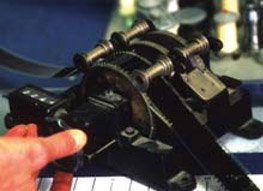
When putting the pieces of film together the editor had two choices: either a piece of film was added to the shots already cut together and therefore the overall length of the Sequence was increased, or a piece of film was placed into the Sequence and a corresponding amount of film, the same in length, removed thus the overall duration did not change. These two choices are what Insert and Overwrite Editing are all about.
When you build your movie in Final Cut Pro you edit various shots together. Whenever these shots are put together you must decide whether you are adding a shot to a Sequence and therefore increasing the overall length of the movie, or, whether you wish to simply replace a section with another shot previously not included (thus keeping the Sequence the same in length).
When editing with a non-linear system such as Final Cut Pro the editor has a lot more in common with the film editors of yesterday than the tape editors of recent times.