A Guide to the Automation Body of Knowledge, 2nd Edition

Chapter 27: Operator Interface

Jonas Berge

27.1 Introduction

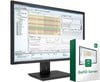
The human-machine interface (HMI) is the software application running in the operator consoles that permits operators to visualize the process. Other common names for this type of software are "process visualization" or supervisory control and data acquisition (SCADA) software. The primary aspects of HMI configuration are graphics, historical trend, alarms, reports, and scripts. These capabilities may either be lumped into a single monolithic software application, or made available as individual components in a suite.

Technologies such as the various flavors of OPC as well as OLE_DB, VBA, and ActiveX have made it very easy to configure and to use HMI software.

27.2 Graphics, Components & Controls

OPC-DA is the primary technology used to get live data from all the underlying control and device networks through OPC-DA servers. Older HMI software may use DDE (Dynamic Data Exchange) instead.

27.2.1 Live Data Access

At the time graphic displays are created, designers using HMI software locate data in the OPC server by browsing the name space. Communication aspects are already configured in the server and need not be set in the HMI software.

27.2.2 Direct OPC vs. Intermediate Database

Different implementations of OPC-DA in HMI software access data either directly from the OPC server or through a separate OPC client application that maps the data to an intermediate database, such as a traditional device driver. When access is direct to the OPC server, parameters are simply chosen by pointing and clicking. Only parameters displayed or currently used are polled from networks...

UNLIMITED FREE
ACCESS
TO THE WORLD'S BEST IDEAS

SUBMIT
Already a GlobalSpec user? Log in.

This is embarrasing...

An error occurred while processing the form. Please try again in a few minutes.

Customize Your GlobalSpec Experience

Category: Human Machine Interface (HMI) Software
Finish!
Privacy Policy

This is embarrasing...

An error occurred while processing the form. Please try again in a few minutes.