



Social Media and Video Links
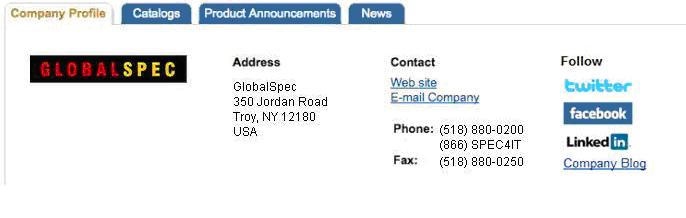
Add social media links (Twitter, Facebook, LinkedIn, blog, YouTube) to your supplier Company Profile page. Enter your social media and video URLs in the fields below, then click the Submit button to activate them on your profile page.
To edit existing links, simply place the active cursor in the form field and make the desired changes to the URL, or highlight the existing field contents and paste a new URL into the field, then Submit your changes.
Whether adding new or editing existing links, be sure check your Company Profile page and test your published links.
If you have questions, or need assistance in adding, updating or removing social media links on your Company Profile:
Contact your GlobalSpec Client Care representative
Phone: (518) 880-0200 or toll-free 800-261-2052
Fax: (518) 880-0250
E-mail: customercare@globalspec.com
Once you have deleted/removed the desired social media link, check your Company Profile page to ensure that the link has been removed.
If you have questions or need assistance in removing social media links on your Company Profile:
Contact your GlobalSpec Client Care representative
Phone: (518) 880-0200 or toll-free 800-261-2052
Fax: (518) 880-0250
E-mail: customercare@globalspec.com
There has been an error and we are unable to update your social media links.
If you have questions or need assistance
Contact your GlobalSpec Client Care representative
Phone: (518) 880-0200 or toll-free 800-261-2052
Fax: (518) 880-0250
E-mail: customercare@globalspec.com