Bill of Materials (BOM) Software Information
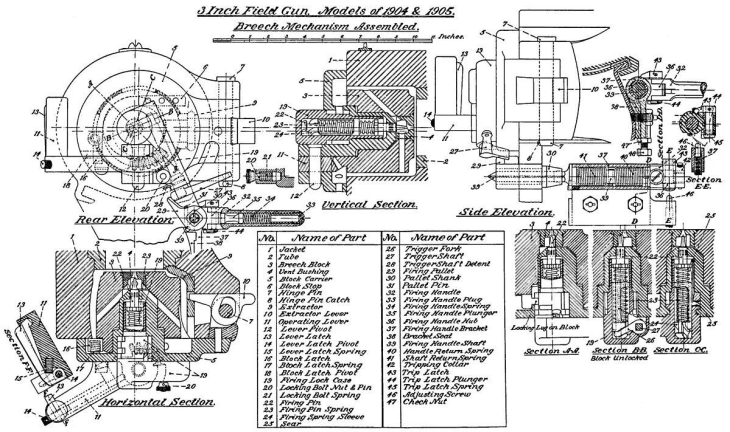
Figure 1: Section through breech mechanism. Source: Public domain
Bills of material (BOM) are used throughout many industries to document and track the number and type of parts used in an assembly. BOMs are used for purchasing, inventory, quality control, and assembly operations among others. In order to allow BOMs to be easier to maintain, update, and record, BOM software digitizes bills of material and assists in all of these functions.
Theory of Operation
BOM software is software that helps manufacturers, engineers, and other professionals manage and control the materials, components, and assemblies needed to produce a final product. BOM software must accomplish these critical functions:
- Creation and maintenance of BOMs
- Version control
- Information integration
- Costing
- Change management
- Reporting and analysis
The primary function of BOM software is to create and maintain a detailed list of all the raw materials, sub-assemblies, intermediate assemblies, sub-components, parts, and the quantities of each needed to manufacture an end product. This may include information such as part numbers, descriptions, quantities, and unit of measure. BOM software also helps in managing different versions or revisions of the BOM as the product evolves over time. This ensures that all stakeholders are working with the most up-to-date information.
BOM software is often integrated with other business systems like Enterprise Resource Planning (ERP) or Manufacturing Execution Systems (MES) to ensure a seamless flow of information. This integration allows for the coordination of manufacturing, purchasing, and inventory management based on the BOM.
BOM software can also aid in the costing process. By knowing the quantities of each component and their costs, the software can calculate the cost of producing one unit of the end product.
Any changes to the product design or manufacturing process will affect the BOM. BOM software often has features that manage these changes, ensuring that the BOM is updated and that these changes are communicated to all relevant stakeholders. BOM software often includes reporting and analysis features, allowing for insights into aspects like cost control, efficiency, and resource allocation.
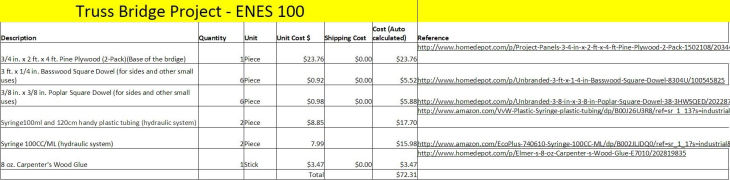
Figure 2: A picture of the BOM for project 2 truss bridge. Source: NathanMinnick58/CC BY-SA 4.0
Specifications
The specifications for BOM software can vary depending on the specific needs of an organization. Common BOM software specifications include:
Data Management
The BOM software should be able to create, manage, and store large amounts of data related to parts, assemblies, and their respective relationships. This includes part numbers, descriptions, quantities, suppliers, and costs.
Multi-Level BOMs
The software should be capable of creating and managing multi-level BOMs, showing the hierarchical relationships between the finished product, its sub-assemblies, and their components down to the raw materials.
Version Control
The software should provide version control features to manage and track different versions or revisions of the BOM. It should be able to store historical data and allow for easy comparison between different versions of the BOM.
Integration Capabilities
The BOM software should be able to integrate with other business systems such as enterprise resource planning, product lifecycle management, and manufacturing execution systems to ensure a seamless flow of information.
Change Management
The software should have features that allow for efficient management of changes in the BOM. This includes updating the BOM, tracking changes, and notifying relevant stakeholders about the changes.
Security and Access Control
The software should provide robust security features, including user access controls, to protect sensitive data. It should allow for different levels of access based on user roles and responsibilities.
Costing Capabilities
The BOM software should be able to calculate and track the costs associated with each component and assembly in the BOM. It should also be able to update these costs as changes are made.
Reporting and Analysis
The software should provide comprehensive reporting and analysis features, offering insights into aspects such as cost control, efficiency, and resource allocation.
User-Friendly Interface
The software should be intuitive and easy to use, with a user-friendly interface that allows users to efficiently navigate and use the system.
Support and Training
The vendor should provide adequate support and training to help users understand and make the most of the software's features.
These are general specifications and the exact requirements can vary depending on the nature and scale of the organization's operations.
Types
BOM software can be classified based on different criteria such as deployment method, industry focus, or features. Here are some categories:
By Deployment
On-premises BOM software is installed directly on the user's hardware and servers. It's typically used by larger businesses that have a dedicated IT team to manage and maintain the software.
Cloud-based BOM software is hosted on the vendor's servers and accessed through the internet. It typically has a subscription-based pricing model and is popular due to its scalability, ease of implementation, and lower upfront costs.
By Industry Focus
Manufacturing-focused BOM software is tailored for manufacturing industries, providing features like multi-level BOMs, integration with manufacturing execution systems, and detailed costing capabilities.
Engineering-focused BOM software is designed for engineering and design teams, emphasizing version control, change management, and integration with computer-aided design software.
By Features
Basic BOM software focuses on the core function of creating and managing BOMs. It's suitable for smaller businesses or those with simpler product structures.
Advanced BOM software provides additional features such as integration with ERP and PLM systems, detailed reporting and analysis, and robust change management tools. It's suitable for larger businesses or those with complex product structures.
Remember that the best type of BOM software for a particular business depends on many factors such as business size, industry, complexity of product structure, and specific operational needs.
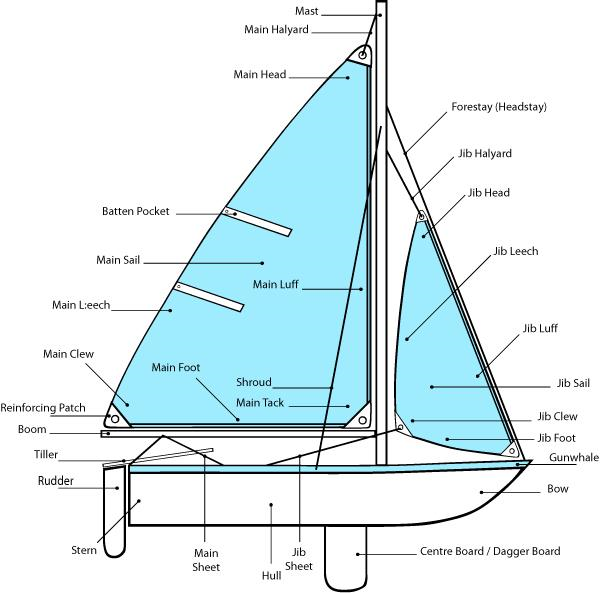
Figure 3: Illustration showing various parts of a small sailboat. Source: Public domain
Features
BOM software includes a range of features designed to help manage and control the components and materials needed to produce a final product. Here are some key features that might be found in BOM software:
Multi-Level BOMs
Advanced BOM software allows for the creation of multi-level BOMs, which display the hierarchical relationship between the final product, sub-assemblies, and individual components or raw materials.
Integration Capabilities
Many BOM systems can integrate with other business systems, such as Enterprise Resource Planning, Manufacturing Execution Systems, or Product Lifecycle Management software. This helps ensure a seamless flow of information across different areas of the business.
Change Management
BOM software often includes tools to help manage changes to the BOM. This can include tracking changes, updating the BOM, and notifying relevant stakeholders of the changes.
Collaboration Tools
Some BOM software includes features that facilitate collaboration between different stakeholders. This can include shared workspaces, comment sections, and notification systems.
Data Import/Export
This feature allows users to import data from or export data to other systems, which can be useful for integrating the BOM software with other tools or for backup purposes.
Manufacture
Creating a BOM software involves a series of steps typically seen in software development processes. These steps include:
- Requirement gathering and analysis
- Design
- Development
- Testing
- Deployment
- Maintenance and updates
The first step is where developers gather and analyze the needs and requirements of the target users. This could involve interviewing potential users, researching existing solutions and their limitations, and defining the specific features and capabilities that the software needs to have.
In the design phase, the software's architecture and user interface are designed. This involves determining how the software's different components will interact with each other, and how users will interact with the software. Wireframes or prototypes of the user interface might be created during this stage.
The actual coding of the software takes place during this phase. Developers write the code that will implement the features and capabilities that were defined during the requirements analysis and design phases. The choice of programming language and development tools would depend on various factors such as the requirements of the software, the skills of the development team, and the target platform for the software.
Once a version of the software has been developed, it is tested to identify and fix any bugs or issues. This can involve a range of testing methods, including unit testing, integration testing, system testing, and user acceptance testing.
After testing, the software is deployed for use. For on-premises software, this would involve installing the software on the user's hardware. For cloud-based software, this would involve deploying the software on the cloud servers.
After deployment, the software needs to be maintained and updated to fix any issues that come up, to add new features, or to improve existing ones. This is an ongoing process that continues for as long as the software is in use.
It's important to note that this process can vary depending on the specific methodologies and practices followed by the development team. For example, a team following agile development practices might have a more iterative process, with smaller cycles of development, testing, and deployment.
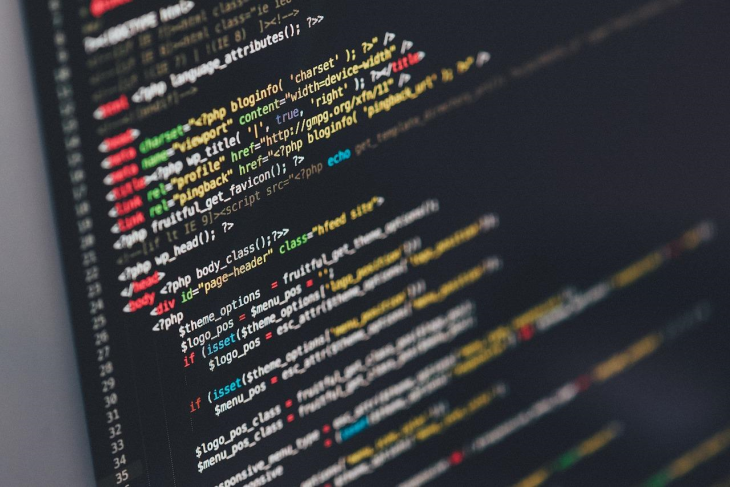
Figure 4: Computer coding. Source: Pixabay
Applications
BOM software has a wide range of applications across various industries and stages of the product lifecycle. Here are some of the primary applications:
Manufacturing
BOM software is essential in manufacturing, where it is used to list all the parts and raw materials needed to manufacture a product. It helps to coordinate production, purchasing, and inventory management.
Product Design and Engineering
BOM software is used in the design and engineering stage to keep track of all the components that make up a product. It helps engineers understand the structure of the product and manage changes as the design evolves.
Inventory Control
BOM software can be used to manage inventory, as it provides a clear view of the components needed for production. This can help avoid overstocking or understocking parts.
Cost Estimation
BOM software can be used to estimate the cost of producing a product by totaling up the costs of its individual components. This can be useful for budgeting and pricing purposes.
Supply Chain Management
BOM software can aid in managing the supply chain by providing information about the materials and components needed for production. This can help in coordinating with suppliers and planning purchases.
Product Lifecycle Management
BOM software is often integrated with Product Lifecycle Management (PLM) systems, where it helps manage the product from conception to end-of-life. This includes managing changes to the product and its components over time.
Quality Assurance and Control
BOM software can also play a role in quality assurance and control, by ensuring that the correct parts are used in the correct quantities in production.
Maintenance, Repair, and Overhaul
In industries like aviation or heavy machinery, BOMs are used to list all the parts of a product and are crucial for maintenance, repair, and overhaul operations.
In general, any industry that designs, manufactures, or maintains complex products can benefit from the use of BOM software.
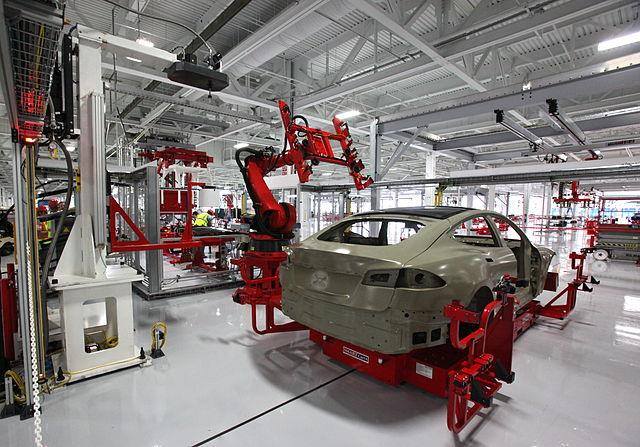
Figure 5: BOM software is essential in manufacturing. Source: Steve Jurvetson/ CC BY 2.0
Standards
Standards for BOM software can be somewhat industry-specific, but there are some general principles and guidelines that are often followed. Here are some of the key standards and best practices:
Data Interchange Standards
BOM software often needs to interface with other systems such as ERP, PLM, or CAD software. Standards like the ISO 10303 (STEP) for CAD data interchange or the B2MML (Business To Manufacturing Markup Language) for manufacturing data can be relevant in these cases.
ISO 9001 Quality Management
While not specific to BOM software, the ISO 9001 standard for quality management systems can be relevant. The standard emphasizes the importance of strong document control practices, which would apply to the management of BOMs.
Security Standards
Data security is crucial in BOM software, given the sensitive nature of the data it handles. Standards such as ISO/IEC 27001 for information security management can apply here.
Industry-Specific Standards
Depending on the industry, there might be additional standards. For example, in the aerospace and defense industry, standards like the AS9100 for quality management might have implications for how BOMs are managed.
References
Oracle Netsuite—What Is a Bill of Materials (BOM)? Expert Guide & Tips
CentricSoftware—What is a Bill of Materials (BOM) and Why You Need One?
Arena—Choosing the Right Bill of Materials Software—Bom Management
TechTarget—What is a Bill of Materials?
MRPeasy—Bill of Materials (BOM) Software for Small Manufacturers
Deskera—What is Bill of Materials (BoM)—Types, Template, and Examples
OptiProERP—The 10 Types of Bill of Materials (BOMs) Explained
Kerridge—Bill of Materials (BOM) Software supporting proficient manufacturing processes
Investopedia—Bill of Materials (BOM) Meaning, Purpose, and Types
Related Information
Electronics360—Electronic Design Automation—Are your electrical engineers using CAE software? They should.
Electronics360—Panduit solar power solutions available at Heilind Electronics