Mac OS X Developer's Guide
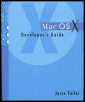
Ease into the transition from OS 9 and maximize your applications with this essential guide.
 TABLE OF CONTENTS
 Except for command line tools and services, almost every Mac OS X application has a graphical user interface. The design of that interface is up to the application developer, but Apple provides an abundance of guidance, assistance, and resources to help you develop the interface. The reason for this assistance is twofold:
Apple wants to help developers produce software that, in turn, drives sales of its products.
The overall look and feel of a computer running Mac OS X is more consistent and satisfying to users when all applications adhere to standards.
If you are using Cocoa, MacApp, or PowerPlant, you have taken a large step toward consistency and standards. The buttons, text fields, sliders, and other controls that you implement are drawn by the respective frameworks and they implement Apple s interface guidelines.
This chapter addresses the general issue of guidelines and standards and explains why they are important for your application. It then walks through each of the interface elements that you can use in Interface Builder, providing you with the terminology, human interface guidelines, and relevant programming topics for each one. These interface elements are grouped into three categories:
Action controls such as buttons that users employ to initiate (or stop) processing.
Interface elements that allow users to enter data text, choices, and the like.
Output elements that provide information to users from the program.
The focus of this chapter is on the Aqua interface, which can be implemented both in Cocoa and in Carbon. You can use...