Host Integrity Monitoring Using Osiris and Samhain

A survival guide for the future of computing, this book provides the information necessary to understand the what, why, and how of host integrity monitoring.
 TABLE OF CONTENTS
 This examines everything that you need to know to establish a management console. Specifically, we examine the anatomy of the management console, look at its components and features, and discuss how the management console can be configured. Then, we walk through a typical installation. Finally, we configure and do some post-installation tasks.
By now, you should have decided which operating system you will use for your console. In addition, you should have installed the base operating system and locked it down. (For more information see Chapter 4.) The host that you are using as a management console is the most important part of the Osiris system; a compromised management host will render the entire integrity monitoring system useless. Make sure that this host is fully patched and locked down before installing the console software.
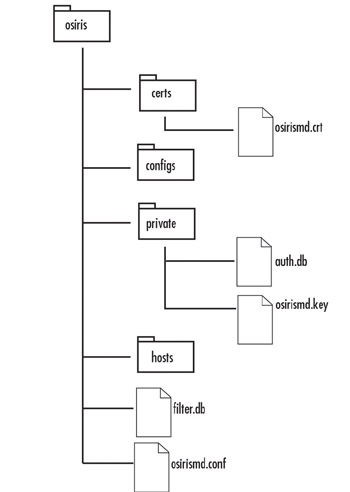
The management console consists of the osirismd executable and a directory of files that are used to store logs, configurations, certificates and passwords, scan data, and more. This section looks at some of the major components that make up the Osiris directory.
By default, all of the data related to the management console is stored under a single directory ( /usr/local/osiris on UNIX systems and %WindowsRoot%\osiris on Windows) (see Figure 6.6).
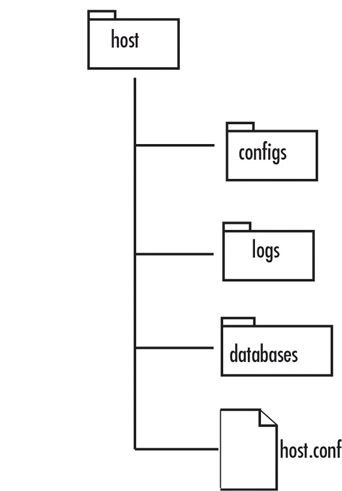
Every host that is monitored by the console has its own directory under the hosts directory (see Figure 6.7).