Microsoft SQL Server 2000 Performance Optimization and Tuning Handbook
A step by step guide to designing and tuning your SQL Server DBMS for maximum performance.
 TABLE OF CONTENTS
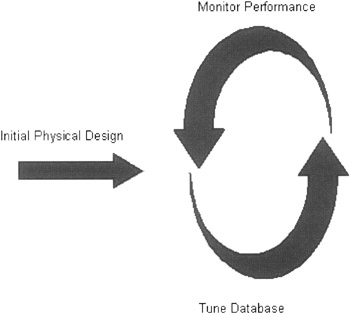
 As we have mentioned on a number of occasions, physical database design is not a static, one-off process. Once the database has gone into production, the user requirements are likely to change. Even if they do not, the database data is likely to be volatile, and tables are likely to grow. Figure 7.1 shows a typical monitoring and tuning cycle.
In the previous chapters, we have seen a number of tools that can be used to monitor performance. There are also other tools that have hardly been mentioned. This chapter will look at the array of tools the database administrator can use to monitor SQL Server performance. These tools include the following:
System stored procedures
Windows 2000 System Monitor, Performance Logs, and Alerts
SQL Profiler
Index Tuning wizard
Query Analyzer
There are a number of system stored procedures that can assist in performance monitoring, including:
sp_lock
sp_who
sp_monitor
The system stored procedures sp_lock and sp_who provide information on locks, blocked connections, and much more. Both these system stored procedures were described in Chapter 6, so we will concentrate on sp_monitor here.
SQL Server keeps resource use information available through system statistical functions and sp_monitor then formats and displays this information. In fact, it displays the current values of resource use and the difference between these current values and the values last time sp_monitor was run.
EXEC sp_monitorlast_run ...