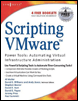
Scripting VMware Power Tools: Automating Virtual Infrastructure Administration
Chapter 8: Other Cool Tools and Tricks

Introduction

In this chapter, I ll explain how to do a couple of cool things to VMware ESX Server to make your life as an administrator easier. First, I ll show you how to install APC PowerChute Network Shutdown, also known as PCNS, on VMware ESX Server.

Servers nowadays come with more than one power supply. In some remote offices where I once installed VMware ESX, there was a separate UPS for each power supply and yet there s only one way for VMware ESX Server to be controlled by one UPS.

Centralized user management for VMware ESX Server has always been a big thing for me. This was even more so before VirtualCenter came into play. I ll later share with you a script that lets you query a directory for members of a given group, and from that you can add the users, assign permissions to the users, and do just about anything else a little creative thought might engender.

Configuring PowerChute Network Shutdown in ESX

Basically, because the ESX service console has no GUI, and because PowerChute has a Java GUI Installer, the only way to install APC PowerChute Network Shutdown for Linux is to use a helper Red Hat Linux virtual machine to install PCNS into, then tar up the resulting binaries and transport them into ESX.

This solution has been tested on ESX 2.5.0, 2.5.1, 2.5.2, 2.5.3, 3.0.0, and 3.0.1 and is theoretically okay on all ESX 2.x versions. I worked with Kim Wisniewski (aka, kimono) from the VMware Community...

UNLIMITED FREE
ACCESS
TO THE WORLD'S BEST IDEAS

SUBMIT
Already a GlobalSpec user? Log in.

This is embarrasing...

An error occurred while processing the form. Please try again in a few minutes.

Customize Your GlobalSpec Experience

Category: Operating System Software
Finish!
Privacy Policy

This is embarrasing...

An error occurred while processing the form. Please try again in a few minutes.