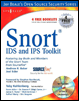
Snort IDS and IPS Toolkit — Featuring Jay Beale and Members of the Snort Team
Summary

The ultimate goal of installing and using Snort is to help a security analyst detect and study intrusion attempts. If your sensor is located on a busy network, it will generate at least megabytes of data each day. Obviously, you need some tool to automate the process of monitoring and alerting, because it is impossible for a human to browse such a huge amount of data, let alone come to any meaningful conclusions.

A variety of tools are available for this purpose. We covered a number of them, each with a different functionality. Swatch, Tenshi and Pig Sentry are tools for realtime log file monitoring and alerting; SnortSnarf provides features for generation of static HTML reports from log files; and Snort_Stat.pl is a simple Perl script for extracting event data summary reports from your Snort alert files. Similar to Snort_stat, SnortALog is a tool which summarizes a Snort alert log in an HTML report. In addition, it can take input from other data sources to do the same.

Instead of using textual tools, visualization tools are an increasingly popular way of analyzing security data, such as Snort alerts. They help analysts very quickly understand the relationships among alerts and find events of interest, whether they are attacks or misconfigurations. Tools such as EtherApe, Shoki, and AfterGlow provide different ways of visualizing traffic and Snort alerts, helping the analyst gain an understanding of his environment and analyze the vast number of alerts.

BASE is a Web-based interactive console...

UNLIMITED FREE
ACCESS
TO THE WORLD'S BEST IDEAS

SUBMIT
Already a GlobalSpec user? Log in.

This is embarrasing...

An error occurred while processing the form. Please try again in a few minutes.

Customize Your GlobalSpec Experience

Category: Tank Monitoring Systems
Finish!
Privacy Policy

This is embarrasing...

An error occurred while processing the form. Please try again in a few minutes.