Cisco PIX Firewalls: Configure, Manage, & Troubleshoot
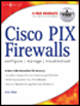
The PIX 500 series firewalls are market leaders for security appliances for good reason. They provide robust performance in a firewall while providing a highly scalable architecture ranging from plug-and-play SOHO devices to carrier-class firewalls with gigabit connections. They provide protective services that define what a firewall should do. From stateful packet inspection to content filtering, VPN termination to address translation, and offering support for PKI applications to providing security to multimedia applications, the PIX does it all.
With such flexibility comes the requirement to configure the devices correctly. Luckily, for those who are already comfortable with an IOS router prompt, the PIX is based on the same familiar command prompt. Of course, the PIX fits into standard Cisco management tools such as CiscoWorks, so it will seamlessly integrate into your network environment.
Many firewalls are based on general-purpose operating systems (OS). This means that maintenance is required to ensure that the correct configuration is used and that the base OS is patched and secured. This requirement offers both a higher long-term cost as well as the potential for security weaknesses.
An embedded OS is one in which the OS is self-contained in the device and resident in ROM. This involves reduced maintenance costs, and because no customizations or OS configurations are required, a single image is downloaded and stored to flash. It means that there is little that can actually go wrong with the OS itself; you cannot accidentally leave an unnecessary service...