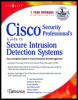
Cisco Security Professional's Guide to Secure Intrusion Detection Systems
Chapter 5: Configuring the Appliance Sensor

Introduction

Once the Cisco Network IDS appliance sensor has been installed, the next step before deployment of the sensor is configuration. The installation of the sensor software (whether by Cisco before shipping to the customer or through the upgrade process) leaves the appliance with specific default settings that are unsuitable for production deployment. This chapter covers the configuration and use of Secure Shell (SSH) for remote access and management, the application of new configurations to the sensor, and how to configure logging on the sensor. Secure shell has been the method of choice for accessing the command line interface (CLI) of the appliance since early versions of the IDS software. This is because Secure Shell provides the administrator the capability of establishing a secure communication channel with the sensor.

This chapter covers the initial configuration of the sensor appliance through the console interface as well as how to configure the appliance sensor using the command line interface through Secure Shell, configuring for remote access to the sensor, applying the modified sensor configuration to the device, logging, and how to upgrade the IDS sensor software and signature pack. Up-to-date signature packs are critical to the value of the IDS within the overall framework of security in the network. Without up-to-date signature packs, the sensor will not be able to detect newer exploits and attacks.

Logging allows the development of a baseline for alarms that may be detected on the network. These alarms may well represent benign traffic that the IDS sensor...

UNLIMITED FREE
ACCESS
TO THE WORLD'S BEST IDEAS

SUBMIT
Already a GlobalSpec user? Log in.

This is embarrasing...

An error occurred while processing the form. Please try again in a few minutes.

Customize Your GlobalSpec Experience

Category: Network Firewalls
Finish!
Privacy Policy

This is embarrasing...

An error occurred while processing the form. Please try again in a few minutes.