Information Appliances and Beyond: Interaction Design for Consumer Products
As technology moves off the desktop and into our everyday lives, designers face tough challenges in creating practical user interfaces for pint-sized devices.
Information Appliances and Beyond: Interaction Design for Consumer Products
By Eric Bergman (ed)
Color Plates
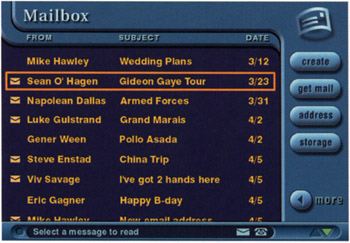
Plate 2.1: A sample inbox screen from an email application running on a TV set-top box.
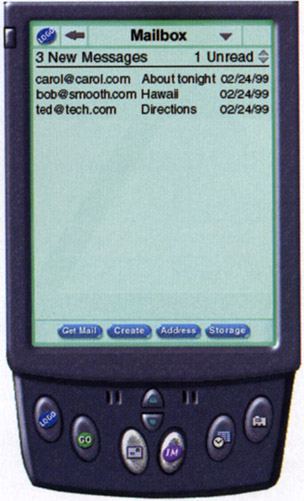
Plate 2.2: An inbox screen on a PDA device. This screen is functionally identical to that shown in Plate 2.1, but the user interface is altered to meet the requirements of the device
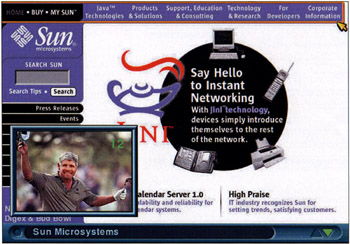
Plate 2.5: An example of a set-top box appliance where the user is browsing the Web and viewing television in a PIP window. The user can access or dismiss the PIP window by pressing a button on the remote control.
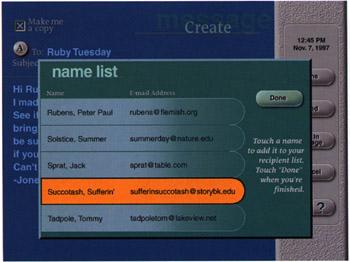
Plate 2.6: Sample screen from an Internet-enabled screen phone. The screen is an email composition screen, and a dialog box has appeared over the top (based on the user's input). With a touch screen device, it is possible for the user to dismiss this dialog by pressing the "Done" button in the dialog or by simply touching anywhere outside the dialog.
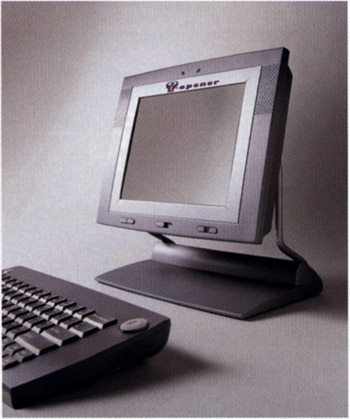
Plate 3.5: A nearly complete industrial design of the i-opener hardware.
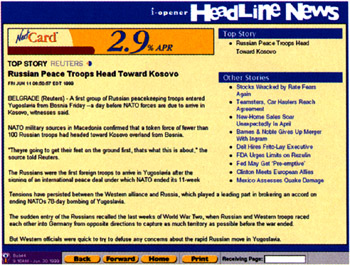
Plate 3.6: The News Channel as a part of the Categorical Content.
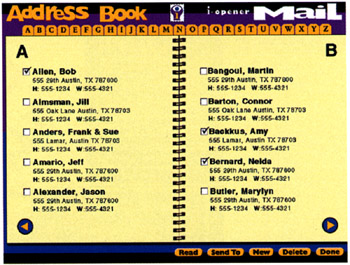
Plate 3.10: The task-centric, real-world approach of the Address Book for Mail.
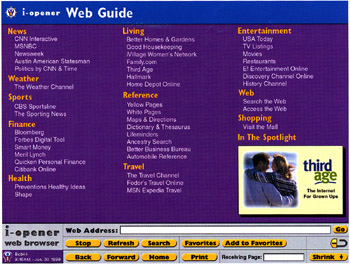
Plate 3.12: The Web Guide page in the i-opener Web Browser.
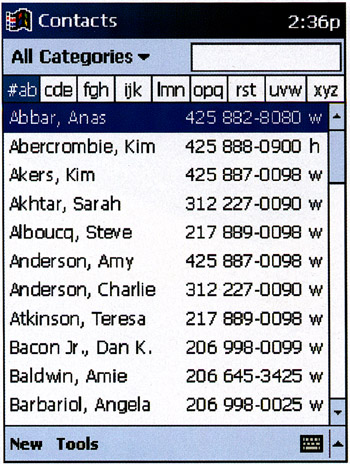
Plate 5.10: Palm-sized PC Concept: Contacts list view. A list of contacts showing related telephone number. Single tap activates the detailed view of the contact.
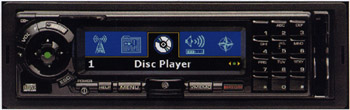
Plate 5.11: Apollo: Start Menu. An Auto PC in-car face plate with the Start screen displayed. The left/right control scrolls through the available programs. The green Action...
Copyright Academic Press 2000 under license agreement with Books24x7