SQL Server 6.5 Performance Optimization and Tuning Handbook
An explanation of fundamental performance tuning concepts for SQL Server targeted to intermediate level database developers and administrators.
 TABLE OF CONTENTS
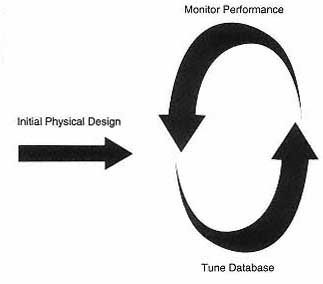
 As we have mentioned on a number of occasions, physical database design is not a static one-off process. Once the database has gone into production the user requirements are likely to change. Even if they do not, the database data is likely to be volatile and tables are likely to grow. Figure 7.1 shows a typical monitoring and tuning cycle.
Over the last few chapters we have seen a number of tools that can be used to monitor performance. There are also other tools that have hardly been mentioned. This chapter will look at the array of tools that the database administrator can use to monitor SQL Server performance in the form of system stored procedures, DBCC reports, the Windows NT Performance Monitor, the SQL Enterprise Manager and SQL Trace.
There are a number of system stored procedures that can assist in performance monitoring, including:
sp_lock,
sp_who
sp_monitor
The system stored procedures sp_lock and sp_who provide information on locks and on blocked processes. Both these system stored procedures were described in Chapter 6 and so we will concentrate on sp_monitorhere.
SQL Server writes resource usage information into a number of global variables and sp_monitor then formats and displays this information. In fact it
diaplays the current values of the global variables and the difference between these current values and the values last time sp_monitor was run.
sp_monitorlast_run ...