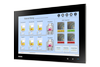
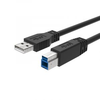
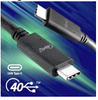
Because some of the items that make up an AutoCAD system are not found on the typical desktop system, I have provided this appendix to help you understand some of the less common items you may need. This appendix also discusses ways you can improve AutoCAD?s performance through software and hardware.
The Graphics Display
There are two issues to consider concerning the graphics display: resolution and performance .
If you are running Windows 95/98 or Windows NT, then in all probability you already have a high-resolution display card for your monitor. If you haven?t set up your system yet, then a high-resolution display card and monitor is a must. SVGA or XVGA display cards are inexpensive and offer high-quality display.
Graphics performance comes down to speed. To enhance graphics performance you need to consider the following resources:
AGP Bus Contemporary motherboards use high-speed AGP expansion slots that offer the fastest video throughput available. Check that yours is a system of this type. There are also options for using multiple monitors in Windows 98 that have been popular among AutoCAD users in the past. Multiple monitors offer AutoCAD users the option to view multiple documents more easily.
Video RAM If...
Copyright SYBEX Inc. 1999 under license agreement with Books24x7

 TABLE OF CONTENTS