Programming of CNC Machines, Third Edition
To become familiar with common CNC Machine Operation Panel functions.
To become familiar with common Machine Control Panel functions.
To learn common operations performed at the Machine Control.
Learn how to use the Controls to input setup data including Tool and Work Offsets.
Learn how to use the Control to edit programs.
Examine some common cases of problem situations and learn how to solve them.
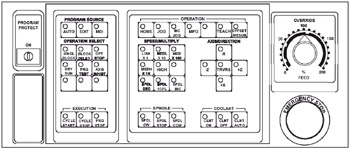
Every CNC Machine Tool has an Operation Panel and a Control Panel that are the interface between the Operator and or Programmer and the Machine Tool, sometimes referred to as the Human Interface (HMI). The Operator Panel is the method with which we physically manipulate the working components of the machine to do what we need and the Control Panel is where the program data are entered and stored. A thorough understanding of each is necessary for successful CNC Machine use. First, we will study and example of an Operation Panel.
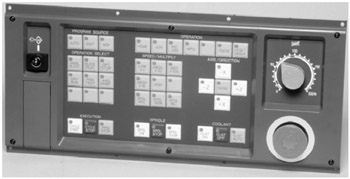
The following descriptions for the above diagram represent the configuration for a common Operators Panel. Some differences do exist for each manufacturer Operation Panel, but they generally contain the same features. The illustration shows a panel for a two-axis lathe. The panel used for a mill would be essentially identical, except for the added keys for the additional axes. The user should consult the applicable manufacturer manual for detailed descriptions that match their needs. Please also note that...