Deploying Linux on the Desktop

Looking at real world requirements and implementations, this book gives Administrators and their Management the tools necessary to implement and understand a Corporate Desktop using Linux.
 TABLE OF CONTENTS
 The instant communication tools necessary to communicate with your corporate colleagues continue to increase in importance. If you are a road warrior, being able to chat with your colleagues in real time while talking on the phone or with a customer can be a critical time saver and productivity booster. We will examine Linux-enabled tools for accessing Internet Relay Chat (IRC) servers and the AIM, Yahoo!, Microsoft (MSN), ICQ, and Jabber networks for speedy communication from your desktop.
One of the oldest network communication tools is (IRC) Internet Relay Chat, which provides group-to-peer and peer-to-peer communication via an IRC server somewhere on the network. While this tool is relatively insecure, it does provide a ready method for individuals and teams to communicate instantaneously. Most IRC clients provide the same features.
For example, we find that color-coded text, operations that perform automatically on startup of the client, and timestamps are invaluable; other people feel pop-up notifications and sounds are the most important features; and still others want their clients to have out-of-band file transfers available. There are many client-side features available to as many IRC clients, such as Xchat, ChatZilla, and mIRC.
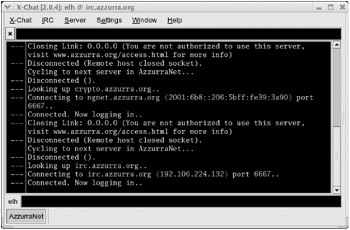
The Xchat tool provides an extensible graphical interface into an IRC server, with all the bells and whistles anyone could desire: notifications via color-coding, pop-up, and sounds. The interface is shown in Figure 6.1.
up2date xchatxchat &
The ChatZilla tool is provided as a part of the Mozilla...