Tru64 UNIX System Administrator's Guide
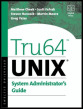
Whether you're a novice or seasoned programmer, this reference gives a detailed examination of admin tasks and provides advice to stabalize and keep systems available.
 TABLE OF CONTENTS
 This chapter will cover some of the aspects of Tru64 UNIX system configuration. In the first revision of this book we stated that the configuration of a Tru64 UNIX system is a broad topic that touches every possible system and user subsystem and service, both hardware and software; it continues to be a broad topic with more ingredients thrown into the stew than ever before. But just as the configuration possibilities have become more wide and varied, Tru64 UNIX includes new and improved tools to handle these configuration options.
Since the hardware configuration tools were discussed in Chapter 3, we will cover some of the more common software configuration tools in this chapter. We will start by discussing basic configuration tasks you will need to do after your Tru64 UNIX operating system installation completes using the checklist program (if you're a GUI kinda person) or the setup program (if you're an old-school command-line person). Once the basics are completed, we will discuss how to reconfigure the kernel, install additional software, and load licenses.
So you've installed Tru64 UNIX, and you find yourself sitting at the console with the login prompt in front of you.
If you are on a workstation (or a system with a graphics card and monitor), it will look like what you see in Figure 4.1. If you are on a server without a graphical user interface (GUI), it will look a little less glitzy, but nonetheless perfectly functional. For example:
...