GUI Bloopers: Don'ts and Do's for Software Developers and Web Designers
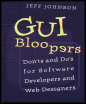
This book cuts right to the core of the most common interface problems, offering real-world advice to the computer software programmer.
 TABLE OF CONTENTS
 In considering what makes a user interface good or bad, it is important not to underestimate the importance of text. One of the great ironies of graphical user interfaces is that they aren't usually very graphical. The typical GUI consists mainly of textual settings displayed on panels. Most of the values of the settings are textual (even though they may be set via menus or radiobuttons). Most of the setting labels are also textual. Error and warning messages are mainly textual (perhaps augmented by a color and a graphical symbol to indicate the importance of the message). Graphical components such as sliders and gauges aren't really used very much.
Computer-based products and services use text in a variety of ways: in status, error, and warning messages displayed by software for the users' benefit; in labels for settings; in labels for the possible values of settings; in names of commands in menus and on buttons; in brief instructions intended to guide users through important steps; and, of course, in the names users assign to data files and other data objects. Though software designers sometimes express a desire to minimize or avoid the use of text in the products and services they design, the truth is that many concepts simply could not be expressed without using text. The old saying "A picture is worth a thousand words," while true in some ways, is an oversimplification: sometimes a few words are worth more than any number of pictures.
 Graphics or text?
A...