From COBOL to OOP

Written for the experienced COBOL programmer, this nuts and bolts guide offers a comprehensive introduction to OOP techniques, and provides a migration of 10 million lines of COBOL code to object-oriented programming.
 TABLE OF CONTENTS
 Textual vs. graphical user interfaces
The previous chapters introduced the world of object-oriented programming and databases. In closing this part, we will briefly discuss graphical user interfaces, because they are an absolute must for new programs today. In contrast, older COBOL programs have mostly the conventional textual interface, because they have a terminal origin.
This chapter shows that the difference between the two types of user interfaces is that event-oriented programming requires not only more complex programming and the use of some classes but a totally different approach. Newer COBOL programs have such Windows and HTML interfaces too. However, for the large number of programmers engaged in maintaining processes for the past years, it would be useful to cover this topic too.
A graphical user interface (GUI) differs from a textual interface not only in looking "friendlier" but that the user has many different input options and is not limited to a menu displayed on the screen. These options include the following:
Selecting a menu option
Clicking the mouse on an object
Entering text
Copying and pasting an object through the clipboard
Changing the window size
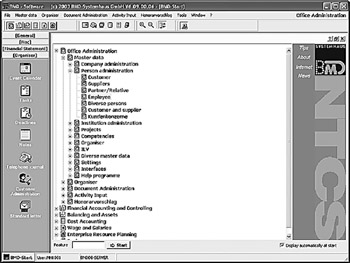
Each action offers inputs for a program; even more options are available, depending on the structure of the graphical user interface. Figure 8.1 shows an example of such a mighty graphical user interface.
Such a graphical user interface must first be designed. Depending on the programming environment, the...








