1.1 Introduction and Objectives
MATLAB is a high-performance language for technical computing. It integrates computation, visualization, and programming in an easy-to-use environment where problems and solutions are expressed in familiar mathematical notation. This chapter introduces some of the basic matrix computational tools and graphical user interfaces (GUIs) that are available in MATLAB through the main Command Window.
Upon completion of this chapter, the reader will be able to 1) identify some basic computational tools and commands in MATLAB; 2) identify the various components of the MATLAB GUI; 3) input commands into the Command Window; 4) obtain help information using on-line help utilities, local contacts, users groups, and The MathWorks Web site and help lines.
On Windows platforms, to start MATLAB, double-click the MATLAB shortcut icon on your Windows desktop (see Fig. 1.1).
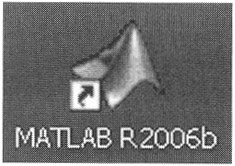 Figure 1.1
 On UNIX platforms, to start MATLAB, type matlab at the operating system prompt.
After you have started the MATLAB program, the standard main MATLAB interface window appears as shown in Fig. 1.2.
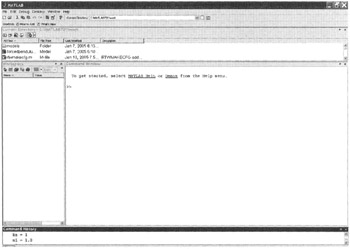 Figure 1.2
 You can change the way your desktop looks by opening, closing, moving, and resizing the tools on it. Use the View menu to open or close the tools. You can also move tools outside the desktop or...

 TABLE OF CONTENTS