BeOS: Porting UNIX Applications
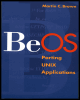
A how-to book for programmers porting applications to BeOS -- as well as those writing new apps for BeOS.
 TABLE OF CONTENTS
 Once you understand the basics of the tools available on the BeOS, you can start porting your chosen application. The steps involved depend largely on the package you are porting and the complexity of the source code. Preparation is the key to success: Make sure you understand the steps involved in configuring and installing the package. Every package, even those supplied by GNU, is installed a different way. Reading the documentation should be your first step; this should provide you with all the information you need to start the porting process.
The well-used acronym RTFM (Read the "Fine" Manual) applies as much to programmers as it does to users, and probably more. User applications are usually supplied precompiled, with the configuration for a specific machine already worked out. The most difficult decision required during installation is which disk and which directory to install the software into. This is to protect the user from what is (behind the scenes at least) a complicated process.
Programmers, porters, and system administrators are expected to be more knowledgeable about the machines and the packages they are installing. In the case of UNIX software, source files are supplied, and the person installing is expected to have a basic...