Overview
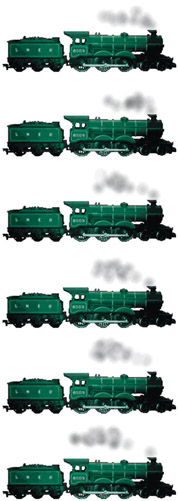
Animation lets you use drawings or computer-generated images to create motion video. Using art as the source of your images frees you from real-world constraints; your talent and imagination are the only limits. Using a computer to generate images can remove a lot of the tedious work involved in traditional animation, and QuickTime can help you reduce the bandwidth needed to deliver animation over the Web.
QuickTime supports three kinds of animation: traditional cel-based animation, vector images, and sprite animation. As you've come to expect with QuickTime, you can mix and match, using vector graphics in a cel animation or as vector sprites, or superimposing sprites over a background of cel animation.
And of course, you can mix animated video tracks with other QuickTime tracks music, narration, text, live streams from Uzbekistan, you name it. You can even use motion video or live streams as animated sprites. Sprites are a particularly wonderful media type because you can "wire" them to perform interactive or automated actions.
Wired sprites (and wired Flash) are described further in Chapter 16, "Getting Interactive."
Cel-Based Animation
Cel-based animation happens when you create a series of still images and display them in rapid succession, using a flip-book, a film projector, videotape, or a computer screen. In the early days of animation, the images were painted on celluloid film and individual images were called cels. And, well, a lot has changed, but they're still called cels. Go figure.
There are basically three ways to create cel-based QuickTime...
 TABLE OF CONTENTS