Linux & OpenVMS Interoperability: Tricks for Old Dogs, New Dogs, and Hot Dogs with Open Systems

Setting up E-mail Clients for Our E-mail Server

Both OpenVMS and Linux run Mozilla, now Open Source from its old Netscape roots. This means that for the price of a download, you can have not only a world-class Web browser but a full graphics and network-based e-mail client for your OpenVMS or Linux workstation.

Linux Mozilla Installation

Usually, when you first install RedHat 7.3, Mozilla just gets installed automatically. But what happens when you want to install an update or haven't had Mozilla installed as part of the base installation?

Install Mozilla by first downloading the Mozilla kit from www.mozilla.org (see Figures 6-37 through 6-49).


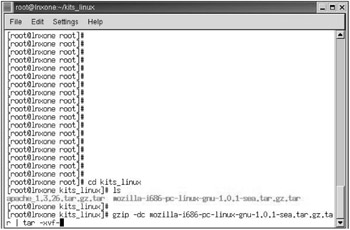
Figure 6-37: Using the root account (is there another?) save the Mozilla kit for Linux in a subdirectory, so you can expand it without filling your default directory with various files.

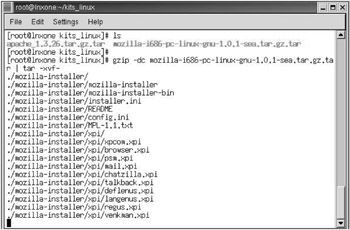
Figure 6-38: Expand the Mozilla file with the command show. The command will unzip and detar the tile into subdirectories.

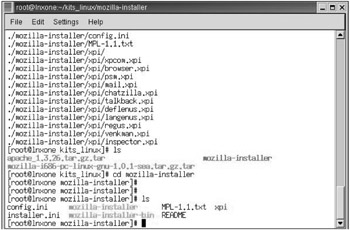
Figure 6-39: Change Directory to the Mozilla kit directory.

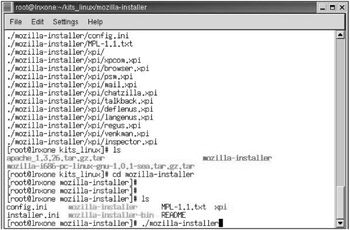
Figure 6-40: Run the ./mozilla-installer script.

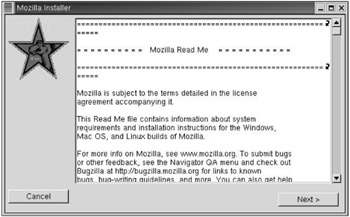
Figure 6-41: A new window will pop open and begin your installation dialog for Mozilla.

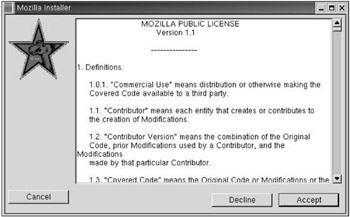
Figure 6-42: Accept the public licenses; Microsoft has made you sign worse.

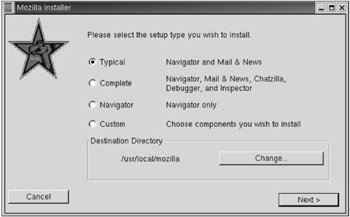
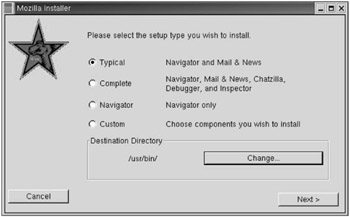
Figure 6-43: Check what kind of install you want. (Use the defaults Power Hint 1897!)

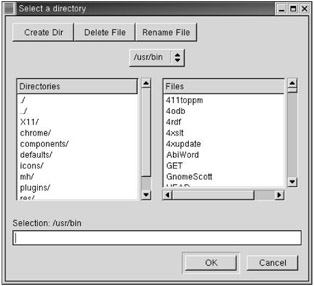
Figure 6-44: Select the location directory to install Mozilla.

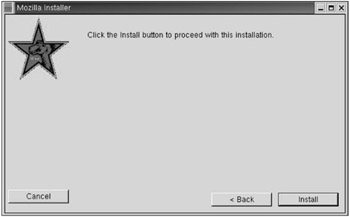
Figure 6-45: Keep on installing.

Figure 6-46: Are you really, really, really sure? You know only a systems administrator should be doing this, right?

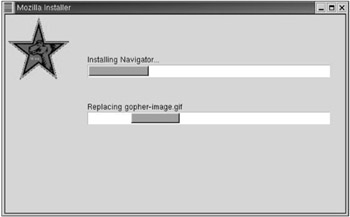
Figure 6-47: Status bars...

UNLIMITED FREE
ACCESS
TO THE WORLD'S BEST IDEAS

SUBMIT
Already a GlobalSpec user? Log in.

This is embarrasing...

An error occurred while processing the form. Please try again in a few minutes.

Customize Your GlobalSpec Experience

Category: Computer Terminals
Finish!
Privacy Policy

This is embarrasing...

An error occurred while processing the form. Please try again in a few minutes.