WarDriving & Wireless Penetration Testing

One of the best things you can do WarDriving is to map out your results. The maps generated from a WarDrive are beneficial for identifying the correct Wireless Local Area Network (WLAN) of your target and for determining the maximum distance you can be from your target and still access the network.
This chapter shows you how to use two of the most popular mapping applications: GPSMAP for Linux (Kismet) and Stumbverter for Windows (NetStumbler).
In order to map WarDrive results garnered with Kismet, you need to install and configure Global Positioning System Daemon (GPSD), which is a Linux add-on daemon written by Russ Nelson (available for download at http://www.pygps.org/gpsd/downloads/). The current version of GPSD is gspd-1.10. This section details the installation and usage of GPSD with Kismet.
| Note | GPSD is not required in order to successfully use Kismet. If you do not intend to map your results, you can skip this section. |
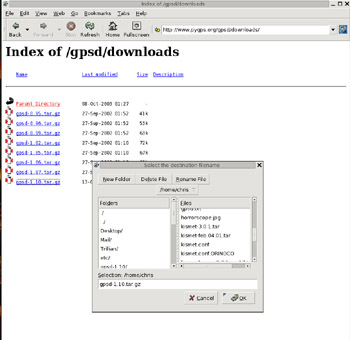
Installing GPSD is a very straightforward process. First, download gpsd-1.10.tar.gz from www.pygps.org/gpsd/downloads/gpsd-1.10.tar.gz (see Figure 8.1).
Next, make sure that you have changed to the root user to begin the installation of GPSD. First you need to uncompress and untar the gpsd-1.10.tar.gz.:
# tar xvzf gpsd-1.10.tar.gz
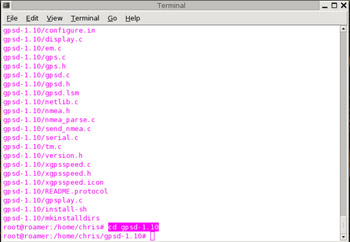
This creates the gpsd-1.10 directory tree. Next, change the directory to gpsd-1.10 (see Figure 8.2).
Once the GPSD installation scripts are uncompressed and untarred,...