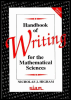
Handbook of Writing for the Mathematical Sciences, 2nd Edition
Appendix C: GNU Emacs The Sixty+ Most Useful Commands

^x means hold down the control key and press x.

Esc-x means press Esc, release it, then press x (or hold down the meta key and press x).

Use tab key for filename completion in the minibuffer.

General

^x ^c

exit

^g

panic key aborts current situation

^x u

undo

^z

suspend Emacs ( fg to restart)

Cursor Motion

^n

next line

^p

previous line

^a

beginning of line

^e

end of line

^f

forward character

^b

back character

Esc-f

forward word

Esc-b

back word

Esc-<

beginning of buffer

Esc->

end of buffer

^v

next page

Esc-v

previous page

^1

redraw screen, centring line

Deletion

^d

delete next character

Esc-d

delete next word

Files

^x ^f

load file

^x i

read file into current buffer

^x ^s

save file

^x s

save all buffers

^x ^w

write named file

Esc-x write-region

save region

Buffers

^x b

switch to another buffer

^x ^b

list all buffers

^x ^k

kill buffer

Search and Replace

^s

incremental search forward [*]

^r

incremental search backward [*]

Esc-%

query replace

[*]terminate with Esc (leave point on found item) or ^g (point remains where it was at start of search).

Cut and Paste (region = from mark to point)

^k

kill to end of line

^k ^k

kills to end of line then next new line

^w

kill region

Esc-w

copy region to kill ring

^y

yank from kill ring

Esc-y

yank pop...

UNLIMITED FREE
ACCESS
TO THE WORLD'S BEST IDEAS

SUBMIT
Already a GlobalSpec user? Log in.

This is embarrasing...

An error occurred while processing the form. Please try again in a few minutes.

Customize Your GlobalSpec Experience

Category: Bit Error Rate Testers
Finish!
Privacy Policy

This is embarrasing...

An error occurred while processing the form. Please try again in a few minutes.