Embedded Systems Firmware Demystified

Provides a roadmap for embedded system startups, demonstrates how to develop tools for 21 platforms, and more.
 TABLE OF CONTENTS
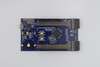
 In this chapter, I ll walk through the process of porting the MicroMonitor boot monitor to a Motorola ColdFire MCF5272C3 evaluation board. I ll assume you have some familiarity with the MicroMonitor command set and that you have access to the source code (all of which is on the CD). I ll limit my discussion of the ColdFire to those details that are necessary to the porting process. Consider this chapter a lesson on the monitor porting process rather than on the MCF5272C3 or the ColdFire architecture.
I chose the MCF5272C3 evaluation board because:
The MCF5272C3 CPU has a good set of built-in peripherals. Its size and complexity are a good match for MicroMonitor;
The MCF5272C3 core is very similar to the popular Motorola 68000 series of microprocessors;
Motorola s support web sites provide a lot of information on the CPU and the evaluation board, including the source code for their boot monitor;
Although it is not used in this port, the ColdFire s BDM interface is top of the line;
The facilities built into the monitor shipped with the board make it very easy to install MicroMonitor. In fact, I can install MicroMonitor without even needing to overwrite the default boot monitor.
Since I am working with an evaluation board, I can immediately make a few convenient assumptions that could not be made if this were brand new hardware. I can assume the hardware design has been tested, I can assume I have correct schematics, and I can assume the example code...