Web Site Usability: A Designer's Guide
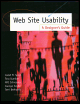
A fascinating, highly surprising study of the way people actually look for information at a Website.
 TABLE OF CONTENTS
 We didn't tell users to use the site's search mechanism to find answers, but many of them did. About one-third of the people we tested usually tried a search as their initial strategy, and others resorted to it when they couldn't find an answer by following links.
Most of the sites we studied had built-in search engines to help users find information within the site. Edmund's, WebSaver, and Travelocity did not, and one user gave up on a task in Edmund's when he couldn't find a search facility.
Sometimes the search engine helped, but often it didn't. Users had two types of problems with on-site searches:
Users were often confused about what parts of a site the search engine would examine. They tended to assume that a search would cover the entire site and didn't always realize when it would search in just one particular area. Or, if there were obviously several different ways to search, users didn't know which one to try first.
The Disney search engine covers all areas of the site, but this fact is initially hidden from the user. The site is huge, containing more than 7,000 pages. Searching the entire Disney site to find the cheapest hotel on the Walt Disney World monorail is like using an atlas to find your way out of the woods. Users went to Disney's Find page, and entered...