Cisco Security Specialist's Guide to PIX Firewalls
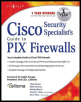
Your complete guide to Cisco's PIX Firewalls.
 TABLE OF CONTENTS
 System management is an important part of configuring and maintaining your firewall. Without proper management, security policies cannot be enforced or monitored and a device might be compromised. In this chapter, we focus on managing individual PIX firewalls.
Logging is important, but not just for monitoring or troubleshooting; it is invaluable for measuring system performance, identifying potential network bottlenecks, and in today's brave new security-conscious world, detecting potential security violations. In this chapter, you will learn how to enable and customize local and remote logging. Remote administration is another important component of system management. You will learn how to configure a variety of in-band management protocols, such as SSH, Telnet, and HTTP, to remotely configure and monitor the PIX firewall. We will discuss the security implications of each protocol and situations in which one protocol might be more appropriate than another. You will also learn how to use out-of-band management using SNMP. We will discuss configuring the system date and time and why it plays a vital role in system management. Along with system date and time, you will learn how to use NTP to make easier the job of managing accurate and consistent time and date across multiple devices.
Logging is one of the most important yet least understood methods of managing the Cisco PIX firewall. Logging offers a wealth of information about what is happening on the PIX, who is doing what, who is going where, and possible attacks or probes. Rumor has it that...