Getting Started with OpenVMS: A Guide for New Users
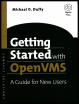
A practical introduction to OpenVMS terminology and approach to common concepts.
 TABLE OF CONTENTS
 This chapter will discuss the OpenVMS user environment; how to work with files, directories, printers, and batch queues; and how to run programs and perform other common tasks.
As with earlier sections in this book, the DCL CLI interface will be used. Most common functions may also be carried out using a GUI interface, as described in Chapter 15.
Most OpenVMS operations act on files, the primary unit of data storage. With few exceptions, all data processed by the system reside, at one time or another, in files. An understanding of files is essential to using most operating systems. Our description of the OpenVMS environment will begin with files.
The file is the central unit of data storage. Programs, letters, memos, pictures, audio clips, and just about any other type of data are stored in files. A single file usually represents a single entity: one file per picture, one file per audio clip, etc. However, some file formats support the storage of multiple entities within a file. Examples of the latter are backup savesets, libraries, and zip files.
Compare this to a popular method of presenting data the Web page. A given Web page may contain pictures, text, sounds, and other elements. This may give the illusion that all of these types of data are stored together as a single unit. In reality, each of these elements is stored in a separate file; they are presented together by the browser program at the time of...