Getting Started with OpenVMS: A Guide for New Users
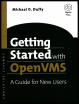
A practical introduction to OpenVMS terminology and approach to common concepts.
 TABLE OF CONTENTS
 OpenVMS comes equipped with an extensive online HELP facility that you may use to learn what commands are available, what they do, and how to use them.
| Note | Third-party software that introduces new commands onto an OpenVMS system may or may not update the OpenVMS HELP database to include descriptions of its own commands. |
To learn about the HELP facility, enter HELP INSTRUCTIONS at the DCL prompt. A short tutorial appears describing how to find information about DCL commands.
To use the HELP facility to list the available commands, enter HELP at the DCL prompt. After a brief introduction, a list of topics appears from which you may select a particular command verb or topic. At the Topic? prompt, you may enter the name of a command, a listed topic, or the word HINTS if you are not sure of the command or topic you're seeking.
There is more than one way to get help about a particular command. Take the MOUNT command as an example. You may enter HELP MOUNT at the DCL prompt, or you may enter HELP and then enter MOUNT at the Topic prompt. A display similar to the following appears:
$ <b class="bold">HELP MOUNT</b> MOUNT The Mount utility (MOUNT) allows you to make a disk or magnetic ...