Telecommunications Cabling Installation, Second Edition
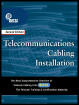
For anyone needing clear cable installation guidelines, parameters, codes, terms, and acronyms, this clear, complete guide provides a solid, reliable cable installation training manual.
 TABLE OF CONTENTS
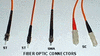
 A connector is a mechanical device, such as a plug or jack, attached to the end of a cable or to a piece of equipment. When two connectors are mated, electrical signals (in copper systems) or light impulses (in fiber systems) can be transferred from one cable or piece of equipment, through the connectors, to the other cable or piece of equipment. Connectors are as essential to the integrity of a telecommunications network as is the cable itself. Together, the cable, connector, and device form the communications link by which information moves. The connector provides the physical attachment from the media to:
A transmitter.
A receiver.
Another media of the same or similar type.
An active telecommunications device.
A passive telecommunications device.
Along a cable path, connections can contribute to the loss of signal from transmitter to receiver. The role of the connector is to provide a coupling mechanism that keeps loss to a minimum. Some of the key factors in establishing a good connection and minimizing loss of signal include:
Fit The attachment must be sufficiently secure to prevent the connectors from separating unintentionally.
Alignment The device must provide the physical alignment necessary to properly complete the link.
Functionality The connection must provide efficient transfer of light or electricity from one connector to the other.
Configuration Connectors must be designed specifically for the media and the devices being connected.
Durability is demonstrated by the connectors ability to withstand hundreds of insertion and...