TCP/IP Lean: Web Servers for Embedded Systems, Second Edition
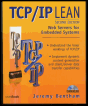
Learn the "nuts and bolts" of programming for Web appliances with this in-depth guide.
 TABLE OF CONTENTS
 If you intend to experiment with any of the utility programs, you will need to set up a network and alter the default configuration file to suit. The configuration file is in ASCII text, which can be edited with any plain-text editor, such as Windows Notepad. Each line begins with a keyword, followed by optional arguments, delimited by spaces. Comment lines begin with any nonalphanumeric character, such as #. The types of network configurations are direct-driven network card, serial link, and packet driver.
The software has the capability to drive one or more network cards directly, and this is the preferred option for simplicity and ease of debugging and because it is supported by all the compilers. The network card must be a Novell NE2000-compatible, or 3COM 3C509 Etherlink III card. You will need to know the base I/O address: I use a value of 280h for the NE2000 and 300h for the 3C509. The configuration file entries are one of the following lines.
net ether ne 0x280net ether 3c 0x300<a name="1074"></a><a name="IDX-518"></a>
It is important to check that the network card isn't already in use by the operating system. If you're using Windows, access the System settings in the Control Panel and check the Network adapters category in the Device Manager. If the card is plug-and-play, the operating system might insist on installing it, whether you want to or not. If so, check the Control Panel settings for Network to make...