TCP/IP Lean: Web Servers for Embedded Systems, Second Edition
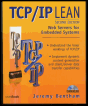
Learn the "nuts and bolts" of programming for Web appliances with this in-depth guide.
 TABLE OF CONTENTS
 Having worked your way through IP and TCP, you can finally create your first Web server. For this, you need to implement yet another protocol, hypertext transfer protocol (HTTP), which simply involves an exchange of text messages followed by the transfer of Web data down a TCP connection.
A Web server isn't much use without Web pages, so I'll look at the creation of pages that are particularly relevant to embedded systems and the display of real-world signals. The pages will be stored on disk and made available by the Web server on demand. In Chapter 8, I'll start looking at the insertion of live data into the pages.
To fetch a Web document, the browser opens a TCP connection to server port 80, then uses HTTP to send a request. Compared to TCP, HTTP is refreshingly simple: the request and response are one or more lines of text, each terminated by the newline (carriage return, line feed) characters. If the request is successful, the information (document text, graphical data) is then sent down the same connection, which is closed on completion.
HTTP commands are called methods; the one used to fetch documents is the get method.
In its simplest form, a request consists of a text line containing the uppercase keyword GET, the filename, a protocol identifier, and the new line character.
GET /index.htm HTTP/1.0<span class="unicode"><</span>CR<span class="unicode">></span><span class="unicode"><</span>LF<span class="unicode">></span>
Following the GET method is on optional header containing further...