Setting Up a Web Server

An introduction to not only Web servers, but the entire infrastructure needed to create and maintain a business presence on the Internet.
 TABLE OF CONTENTS
 FTP (file transfer protocol) is a standardized method of allowing users to list and transfer files between your server and their client computer. FTP is usually set up as a secondary function on a Web server and allows you to publish files within a public directory structure. To support FTP functions, you need to install and configure an FTP server (although in many commercial Web servers, this is an integral part of the software application). Once your FTP server is running, it can process FTP commands to allow users to connect to the server, browse the directories and list and transfer files. From an administrator's point of view, FTP is a useful addition to the server since it allows you to download log files or update configuration files over the Internet, without having to be on the local server computer.
The FTP system is part of the TCP/IP protocol set and is made up of command words that carry out an action on the server. These commands are produced by an FTP client: most Web browsers (including Microsoft IE and Netscape Navigator) support FTP, but there are also separate client applications dedicated to FTP Windows 95 and NT workstation both include an FTP client. The commands sent by the client software are serviced by an FTP server.
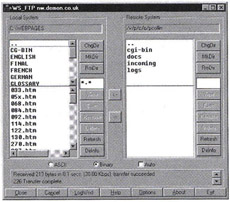
As a client, if you want to connect to an FTP server, you need...