Sniffer Pro: Network Optimization & Troubleshooting Handbook
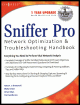
Provides all-inclusive coverage of Sniffer Pro LAN, including the tools accessible on networks.
 TABLE OF CONTENTS
 The Sniffer Pro interface can be perceived as either a joy or a nightmare to use. The interface seems simplistic at first glance, but as we drill down into it, you will see that it is much more complex than you might think. There is a great deal of material to look at; the various options contain incredibly helpful and important tools. Within this chapter, we look at all the troubleshooting tools, options, menus, dialog boxes, and toolbars Sniffer Pro offers.
As we explore the Sniffer Pro interface, keep in mind that there could be slight redundancy in what you see. For instance, the File menu might have some of the same options as the toolbar. One is viewable with graphics and the other is a simple menu, but both will get you the result you need.
In learning how to use this interface, the focus is not only for you to master the navigation of the product, but to achieve two other goals as well. Knowing the interface is a large part of becoming a Sniffer Certified Professional (SCP), and knowing the interface and learning it well only make the following chapters easier to work through as we delve more deeply into Sniffer Pro and begin to use filters and capture data.
Not too long ago, network analyzers operated using text-based interfaces. In contrast, Sniffer Pro is a graphical user interface (GUI) network analyzer that includes a DHTML-based Dashboard. When you start Sniffer Pro LAN...