Managing Cisco Network Security
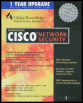
Manage the security of Cisco-based networks with the strategies detailed in this book.
 TABLE OF CONTENTS
 To support your network s increasing amount of network devices that are used to control your network users connections to the Internet, your intranet, and specific devices, you can use Cisco Secure Access Control Server (ACS). It installs on Windows NT and runs as a service. Cisco Secure ACS is used for authentication, authorization, and accounting of users accessing your network.
With Cisco Secure ACS for Windows NT, you have a central point of access control and accounting for dial-up access servers and firewalls and the management of access control to switches and routers. You can quickly manage user accounts and groups of users on your entire network, changing their levels of security and network policies. It allows you to configure remote VPN access and dial-up services when you expand your network and services. You can leverage your existing network by using the Windows NT network and the Windows NT user account database.
With the installation of Cisco Secure ACS on your network, you can specify who can access the network and what services they are authorized to use. Each user on your network is associated with a profile created in Cisco Secure ACS that contains authentication and authorization information. Authentication information validates the user s identity, and authorization information determines what your users can access on your network. You can use an ACS server on the network at the same time with a dial-up access server, routers, and PIX Firewalls, and it can be...