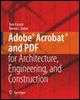
Adobe Acrobat and PDF for Architecture, Engineering, and Construction
How often have you downloaded a PDF from the Web only to have it be just like a paper book? All you could do is turn the pages the document's author left out many great features of Acrobat, and in so doing sold the work short.
Acrobat contains navigation features that let you design files that work similarly to Web pages. The navigation features give you extra control of the document, and, as a result, more power in conveying your information. The most commonly used navigational structures in a PDF document are links and bookmarks.
Links work in much the same way as those seen on a Web page, but can also be used with a number of alternative actions. Bookmarks are a type of navigational structure that use a navigation panel to link content based on a structural hierarchy created manually, from styles or headings in a source document, or derived from the document's structure. Like links, bookmarks can be used with a variety of actions beyond simple navigational hyperlinks.
A PDF document, with all its features, more closely resembles a Web site than an ordinary printed document. You expect a Web site to have a navigational structure; you can design much the same structure in a PDF document as well.
In this chapter you see how to add navigation to allow your reader to move through your document as you learn how to:
Design a navigation strategy for a project
Build and configure...