Engineering With Mathcad: Using Mathcad to Create and Organize Your Engineering Calculations
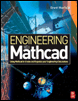
Chapter 1: Variables

Variables

Variables are one of the most important features of Mathcad. As in Algebra, variables define constants and create relationships. Your Mathcad worksheet will be full of variables. It is therefore important to quickly gain a solid foundation in their use.

Chapter 1 will:

  • Discuss types of variables.

  • Show how to define variables.

  • Give rules for naming variables.

  • List characters that can be used in variable names.

  • Introduce string variables.

  • Provide guidelines for naming variables.

Types of Variables

Variables can consist of numbers or constants such as: A:= 1, or B:=67. They can consist of equations such as: C:= A + B, or D:= A + 3. You can set one variable equal to another such as E:= A. Variables can also consist of strings of characters such as F: ="This is an example of String varible." Variables can even have logic programs associated with them so that the value of the variable depends on the outcome of Boolean logic. As you go through this book you will see that variables can be very simple or be very complex. For the purpose of this chapter we will stay with simple examples. More detailed examples will follow in later chapters.

Defining Variables

To define a variable, type the variable name followed by pressing the colon key. This inserts the definition symbol, ":=" and a placeholder (G:= ). The placeholder is a small black box that indicates that the expression is incomplete. Click on the placeholder and complete the definition by...

UNLIMITED FREE
ACCESS
TO THE WORLD'S BEST IDEAS

SUBMIT
Already a GlobalSpec user? Log in.

This is embarrasing...

An error occurred while processing the form. Please try again in a few minutes.

Customize Your GlobalSpec Experience

Category: Laboratory Controllers
Finish!
Privacy Policy

This is embarrasing...

An error occurred while processing the form. Please try again in a few minutes.