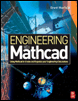
Engineering With Mathcad: Using Mathcad to Create and Organize Your Engineering Calculations
One of the most powerful features of Mathcad is its ability to attach units to numbers. Mathcad units will be one of your best friends as an engineer. Not only will Mathcad units simplify your life, they are one of the best means you have of catching mistakes. You may remember the 1999 Mars Climate Orbiter that ended in disaster by burning-up in the atmosphere of Mars. Why? Because engineers failed to convert English measures of rocket thrust into metric measures. Using Mathcad units will help prevent problems like this from occurring.
Chapter 4 will:
Introduce units.
Discuss unit dimensions, units, and the default unit systems.
Show how to assign units to numbers.
Discuss units of force and units of mass.
Explain how to create custom units.
Describe how to use units in equations and functions.
Present ways of dealing with units in empirical formulas.
Demonstrate how to use custom scaling units.
Illustrate the use of custom dimensionless units.
Once a unit is attached to a variable, Mathcad keeps track of it internally and displays the unit automatically. You will never need to remember the conversion factors for various units. You will never need to convert it from one unit system to another. Mathcad does it all for you. All you need to do is tell Mathcad how you want the unit displayed. For example, you can attach the unit of meters (m) to a variable. You will then be able to tell Mathcad to display this variable...