Engineering With Mathcad: Using Mathcad to Create and Organize Your Engineering Calculations
This chapter is a collection of useful information and tips related to the chapters in Part 1. There will not be a summary or practice exercises.
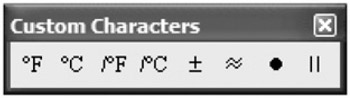
The Custom Character toolbar has characters that are difficult to type into Mathcad.

The temperature characters are used with the temperature functions. The remaining symbols are not predefined and can be used with any variable name.
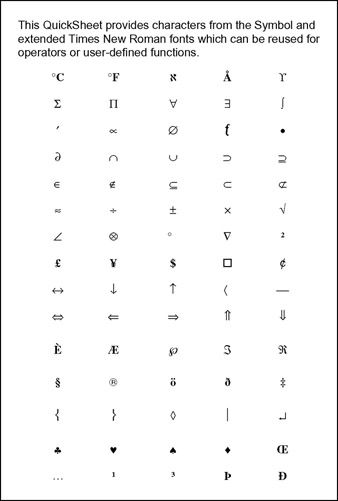
Open QuickSheets by clicking QuickSheets from the Help menu. Select Extra Math Symbols from the list of topics. This opens a list of symbols that can be used for variable names. See Figure 8.1. To use any of these characters copy and paste them into Mathcad, or drag and drop them into Mathcad.
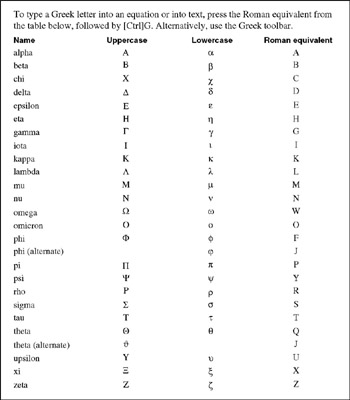
Figure 8.2 is a list of the Greek letters and their Roman equivalents. To insert a Greek letter, use the Greek symbol toolbar, or type the Roman equivalent and then type
. To insert ? type
.
You can insert ASCII characters in variable names by holding the ALT key and then typing the ASCII code using the numeric keypad. Other characters are available by using the Windows Character Map, which can be opened by clicking: Start>Programs>Accessories>System Tools>Character Map.
Figure 8.3 gives a listing of Mathcad's predefined or built-in...