Just Enough AutoCAD 2007

Whether you're new to AutoCAD or just looking for a quick refresher, this indispensable book offers practical and comprehensive guidance to help you easily and efficiently learn the basics of AutoCAD.
 TABLE OF CONTENTS
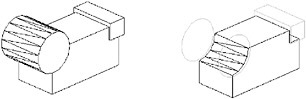
 You can work with two types of 3D objects in AutoCAD: solids and surfaces. You can treat both solid and surface objects as if they were solid material. For example, you can create a box and then remove shapes from the box as if you were carving it, as shown in Figure 6.6.
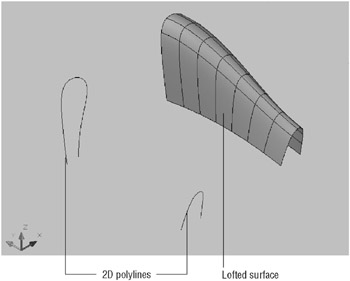
With surfaces, you create complex surfaces shapes by building upon lines, arcs, or polylines. For example, you can quickly turn a series of curved polylines, arcs, and lines into a warped surface, as shown in Figure 6.7.
In the first part of this section, you ll learn how to create a solid box, and at the same time, you ll be introduced to some of the more common modeling features. The next part shows you how to create a surface model. You ll get a chance to see how surface modeling differs from solid modeling, and you ll learn how each modeling method is best used.
| Tip | If you have some experience with AutoCAD 3D already, you ll notice that the new surface-modeling features are not the same as the surface objects you created in the older version of AutoCAD. The new surface objects can be edited using Boolean functions, which you ll learn about later in this chapter. They can also interact with solid primitive objects. You can still... |