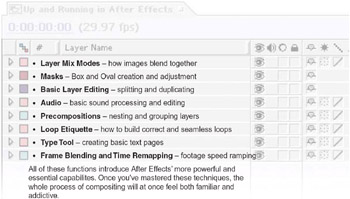
Focal Easy Guide to After Effects: For New Users and Professionals

Building Your Project

Layers Part 1: Discovery

Building Your Projects One Layer at a Time

Unlike many other compositing programs, After Effects encourages creative artistic experimentation just as if you were using any paint or illustration program. It is this free-form design that sets it apart its inviting workspace and common sense workflow lure designers into spending hours trying to perfect that new unique look guaranteeing us a spot in the Adobe demo reel. And it all starts with layers.

Layers are the literal building block to every project composition. In the Focus on the Timeline Window and Focus on the Composition Window sections, we were exposed to how layers are constructed, manipulated, and edited. This chapter will build further upon those instructions by introducing these, and other, more advanced concepts:

Blending Modes Pixel Mixing Your Layers Together

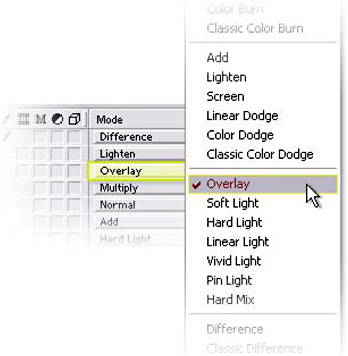
As we assembled our example project in the last chapter, we briefly touched on a layer s Blending Mode potential. At its most simple, Blending Modes instructs After Effects how to blend its layers together. There are 34 unique modes to select, each affecting layers in different ways. The best way to discover the differences is to build a simple project with a few layers, and then experiment with each mode mixing and matching various layers and modes. However, to speed things along, let s briefly discuss some of the more commonly used modes, and how they pertain to our WONK TV design and your future projects.

Eight Blending Mode...

UNLIMITED FREE
ACCESS
TO THE WORLD'S BEST IDEAS

SUBMIT
Already a GlobalSpec user? Log in.

This is embarrasing...

An error occurred while processing the form. Please try again in a few minutes.

Customize Your GlobalSpec Experience

Category: Bimetals and Clad Alloys
Finish!
Privacy Policy

This is embarrasing...

An error occurred while processing the form. Please try again in a few minutes.