Focal Easy Guide to After Effects: For New Users and Professionals

Precomping s ability to create groups of associated layers, and apply those Precomps in two different modes, took After Effects to its next level. It opened up a wide palette of free-form design tools encouraging artists to design as they build.
The WONK TV On-Air ID package s design was almost completed in the last section, but as all artists know their work is never complete. The logos still need animation, effects applied, and additional elements to finish the whole project. The package won t be truly complete until we use some of the more advanced compositing features of After Effects: Parenting, 3D Layers and a simple Shadow effect.
Parenting is one of After Effects most simple yet powerful functions attaching a layer or layers to another layer. This is more like the grouping function many other programs offer. But unlike grouping, where all layers operate in concert, Parenting allows each Child layer (layer connected to the Parent) to still perform individually.
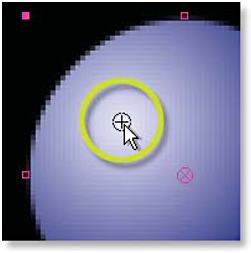
For our demonstration on Parenting, create a new Project (with Project Setting at 24 fps) with a new Comp of 512 512 with Square Pixels at 24 fps titled Spinning Balls. Add a Solid layer of any color (Ctrl + Y), but set its dimensions at 128 128. Right-click on the Solid layer, add > Effect > Render > Circle and set the Radius to 64.

Apply