Configuring and Troubleshooting Windows XP Professional
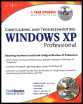
Learn and master how to configure and troubleshoot Windows XP Professional.
 TABLE OF CONTENTS
 Many people today have been exposed to some version of Windows. Whether you enjoy working on computers or not, most jobs require that you use a computer to some extent. One of the goals of XP is to make an operating system that is easier for nontechnical people to use and manage. XP is a great platform for power users users that know the ins and outs of Windows and novice users alike. In this chapter, we discuss the concepts of managing Windows XP Professional.
First, we look at creating users and groups in XP. This is an administration task required to manage permissions on a local Windows XP machine. Instead of creating new users and groups, we can use the built-in accounts, such as Administrator and Guest. The built-in users and groups have predefined permissions. We examine the permissions assigned to these accounts by default in addition to how and when to change the defaults. We discuss how to make shared folders and when to use them. We touch on managing storage and devices. This includes topics such as basic disks, dynamic disks, volumes, partitions, and file systems. Lastly, we discuss troubleshooting by using the Event Viewer and Performance Logs.
Every time you use your Windows XP machine, you must provide a valid user account to log in and access the local machine. This user account must have the appropriate permissions to use the machine or access will be denied. You can assign permissions directly to...