Creating Motion Graphics with After Effects Volume 1: The Essentials, 2nd Edition

Learn how After Effects works and get firsthand experience with the features award-winning artists use.
 TABLE OF CONTENTS
 Extending basic animation techniques to additional transformation properties.
We introduced you to the Scale, Rotation, and Opacity properties in Chapter 1, but now it's time to go into more detail and to learn to animate them. We will assume you've read Chapter 3 A Matter of Time and Space as it explains in depth the various keyframe interpolation types and how the velocity curves work. We promised that once you got these basics down, that knowledge could be transferred to almost all other properties, and that's what we'll do here. So rather than repeat ourselves, we'll focus on how Scale, Rotation, and Opacity differ from animating Position. By the end of this chapter, you'll be ready to animate multiple objects against a background.
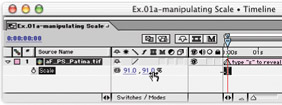
First, let's reacquaint ourselves with manipulating the Scale property of a layer and learn a couple of quick shortcuts and tips while we're at it. In this chapter's project, open the comp [Ex.01a], select the aF_PS_Patina.tif layer in the Timeline window, and type S this is the shortcut to twirling down just the Scale property for a selected layer. You will see two values: the first one is X Scale, representing the layer's width; the second one is Y Scale, representing its height.