Essential Linux
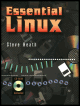
Good choice if you need help with Linux at the command line.
 TABLE OF CONTENTS
 The first encounter with the Linux shell occurs when the user logs in to the computer. This is achieved, as far as the user is concerned, by pressing the Return or ^D (Ctrl-D) keys a few times until a login prompt appears, entering a valid user name and then, if necessary, a password. If all is well, the system welcomes the user, provides a prompt and waits for commands to be entered. When the user has finished, entering logout or exit logs out of the system and the session is completed. Commands are entered on the command line and are executed when the Return (or Enter) key is pressed. The actual user interface is controlled by a shell program, of which there are two in common use. Multiple commands can be entered on the command line, providing they are separated by a semicolon.
There are four special keys used to perform special functions:
| ERASE | # | Rub out the last character typed. |
| CANCEL | @ | Cancel the current line |
| INTERRUPT | DEL | Interrupt any currently executing command. |
| EOF | ^D | End of file (also known as EOT). |
The DEL key is normally ^DELETE, although this depends on the terminal or keyboard. These key functions can be redefined either by assigning a terminal type or through the use of stty (see later in this chapter). Most systems will change ERASE to ^H and CANCEL to ^X so that the default # and @ characters can be used normally. The INTERRUPT...