Essential Linux
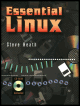
Good choice if you need help with Linux at the command line.
 TABLE OF CONTENTS
 XFree86 is a freeware version of the X-windows graphical user interface (GUI) that forms the basis of many common interfaces for UNIX-based workstations such as Sun Microsystems's SPARC workstations. It allows Linux users to have a mouse-based interface that resembles that of Windows or the Apple MAC instead of the normal text-based interface.
It is included in the Slackware distribution and is also available separately, but its installation is a little tricky sthere are several links and configuration files to set up so it is probably best to use the Slackware installer to install and setup the software. The setup utility is called xfconfig. This chapter will cover the basic methods of getting XFree86 running and what to do if things go wrong.
There are four installation packages for Slackware, and apart from the server development package, all of them should be installed. The default choices are sufficient to get XFree86 running and you can go back to install the others at a later date. Before installing, make sure that you select the QUICK mode for prompting. If you don't you will either have to say yes to each package option, which is very tedious, or all the packages will be installed, which will corrupt the installation, because it will load every server option. The chances are that the last one to be loaded will not work with your hardware!
The mouse is assigned a special / dev file called /dev/mouse