Introduction to Stateflow with Applications
This chapter describes the use of history junctions to represent historical decision points in the Stateflow diagram. A description with an illustrative example is provided, and the chapter concludes with a discussion on transitions. For easy reference, the examples presented are the same or similar to those included in the Stateflow documentation.
A history junction records a previously active state in which it is resident. It is used to represent historical decision points in the Stateflow diagram. The decision points are based on historical data relative to state activity. Placing a history junction in a superstate [*] indicates that historical state activity information is used to determine the next state to become active. The history junction applies only to the level of the hierarchy in which it appears.
[*]We recall from Chapter 1 that objects in Stateflow exist in a hierarchy and states can contain other states referred to as substates, and can be contained by other states referred to as superstates.
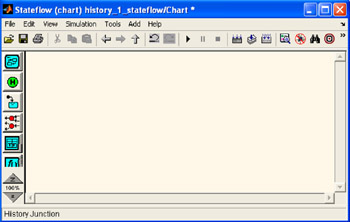
Figure 7.1 is our familiar Stateflow Editor window, and when we place the mouse cursor over the
History Junction tool
, its name appears at the bottom of the window.
To create a history junction, we do the following:
In the diagram toolbar, we click the History Junction tool
.
We move the cursor into the diagram...