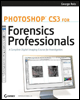
Photoshop CS3 for Forensics Professionals: A Complete Digital Imaging Course for Investigators
Part I: The Essentials

Chapter List

Chapter 1: Best Practices
Chapter 2: Reports and Testimony
Chapter 3: Basic Imaging Settings
Chapter 4: Navigating with Bridge
Chapter 5: Camera Raw
Chapter 6: Viewing Metadata

This first section of six chapters covers several issues that one should be familiar with prior to working with images in an imaging forensics environment. After reviewing the rules and guidelines that govern the use and handling of images in a legal setting, we'll look at how to set up and navigate through Photoshop, Bridge, and Adobe Camera Raw.

In any aspect of evidence collection, crime scene documentation, and evidence processing, it is important to adhere to best practices in the methods used and the documentation recorded to show that the evidence presented is what it purports to be. Best practices may frequently go beyond the requirements of court so that any legitimate challenge to the procedures or the results can be met. That is, the goal isn't merely to have the evidence admitted into court; the evidence must also hold up to any legitimate challenges once it has been admitted into court.

Rules of Evidence

The use of digital images in court is determined by rules of evidence and by case law. In both of those areas (at the time of this writing), digital images are allowed as evidence in court (and have been since at least 1991). There are no requirements beyond those required of any photographic image and that is that they depict what they purport to depict.

The...

UNLIMITED FREE
ACCESS
TO THE WORLD'S BEST IDEAS

SUBMIT
Already a GlobalSpec user? Log in.

This is embarrasing...

An error occurred while processing the form. Please try again in a few minutes.

Customize Your GlobalSpec Experience

Category: Video Cameras
Finish!
Privacy Policy

This is embarrasing...

An error occurred while processing the form. Please try again in a few minutes.