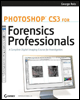
Photoshop CS3 for Forensics Professionals: A Complete Digital Imaging Course for Investigators
Part II: The Digital Darkroom

Chapter List

Chapter 7: Basic Image Adjustments
Chapter 8: Printing Images
Chapter 9: Automating Photoshop through Actions
Chapter 10: Contact Sheets
Chapter 11: PDF Presentations
Chapter 12: Preparing Court Exhibits
Chapter 13: Photomerge

This section deals with items related to general crime scene, traffic accident, and evidence photographs and preparing them for printing or for CD or DVD distribution. This includes methods for making basic enhancement, printing images, batch printing, and making contact sheets, multipage PDF documents, and court displays.

If images are stored on a server or within a specific directory on an individual workstation, you can guarantee that you're working on copies by copying the files to the host computer. If you're working from images on a CD or DVD, this is guaranteed by the nature of the media. Regardless of the method of archiving images, it should be understood that all image processing is performed on duplicates of the images.

In a typical forensic workflow, viewing and printing most crime scene, traffic accident, and evidence photographs should not require making any corrections for color, brightness, or contrast. However, some images are either over-or under-exposed or may have a color shift. There are several ways to correct color, contrast, and brightness in Photoshop some methods will apply corrections to the entire image and others will apply them to local areas. Here we will review two types of adjustments: global adjustments and adjustments to localized areas of an image. But first we'll discuss how to prepare for these adjustments in...

UNLIMITED FREE
ACCESS
TO THE WORLD'S BEST IDEAS

SUBMIT
Already a GlobalSpec user? Log in.

This is embarrasing...

An error occurred while processing the form. Please try again in a few minutes.

Customize Your GlobalSpec Experience

Category: Video Cameras
Finish!
Privacy Policy

This is embarrasing...

An error occurred while processing the form. Please try again in a few minutes.